To check your AI search visibility, ask the AI tools your customers use about your type of business, then fix whatever keeps them from finding accurate facts about you. Most of the fixes are ordinary housekeeping: a current Google Business Profile, the same name, address and phone number everywhere, and pages that state plain facts in plain text.
Our first guide, Is Your Business Showing Up in ChatGPT?, explained what AI visibility is and how to test it. This follow-up is the working checklist. Print it, work through it in an afternoon, and repeat the last step every month.
Start with what Google actually says
Google’s own guidance, AI features and your website, is short. It says there are no additional requirements or special optimizations needed to appear in AI Overviews or AI Mode. A page needs to be indexed and eligible to show in Search with a snippet. Google’s suggested best practices are the familiar ones: allow crawling, put important content in text, keep structured data consistent with what’s on the page, keep your Business Profile up to date, and make internal links easy to follow.
So you don’t need a special “AI SEO” package. You need a site that’s easy to crawl and easy to understand.
The AI search visibility checklist
1. Claim and complete your Google Business Profile
Google’s AI guidance specifically mentions keeping your Business Profile current. Follow Google’s guidelines for representing your business: use your real business name, an accurate address or service area, the right category, and your regular customer-facing hours. Update holiday hours before the holiday, not after a customer finds a locked door.
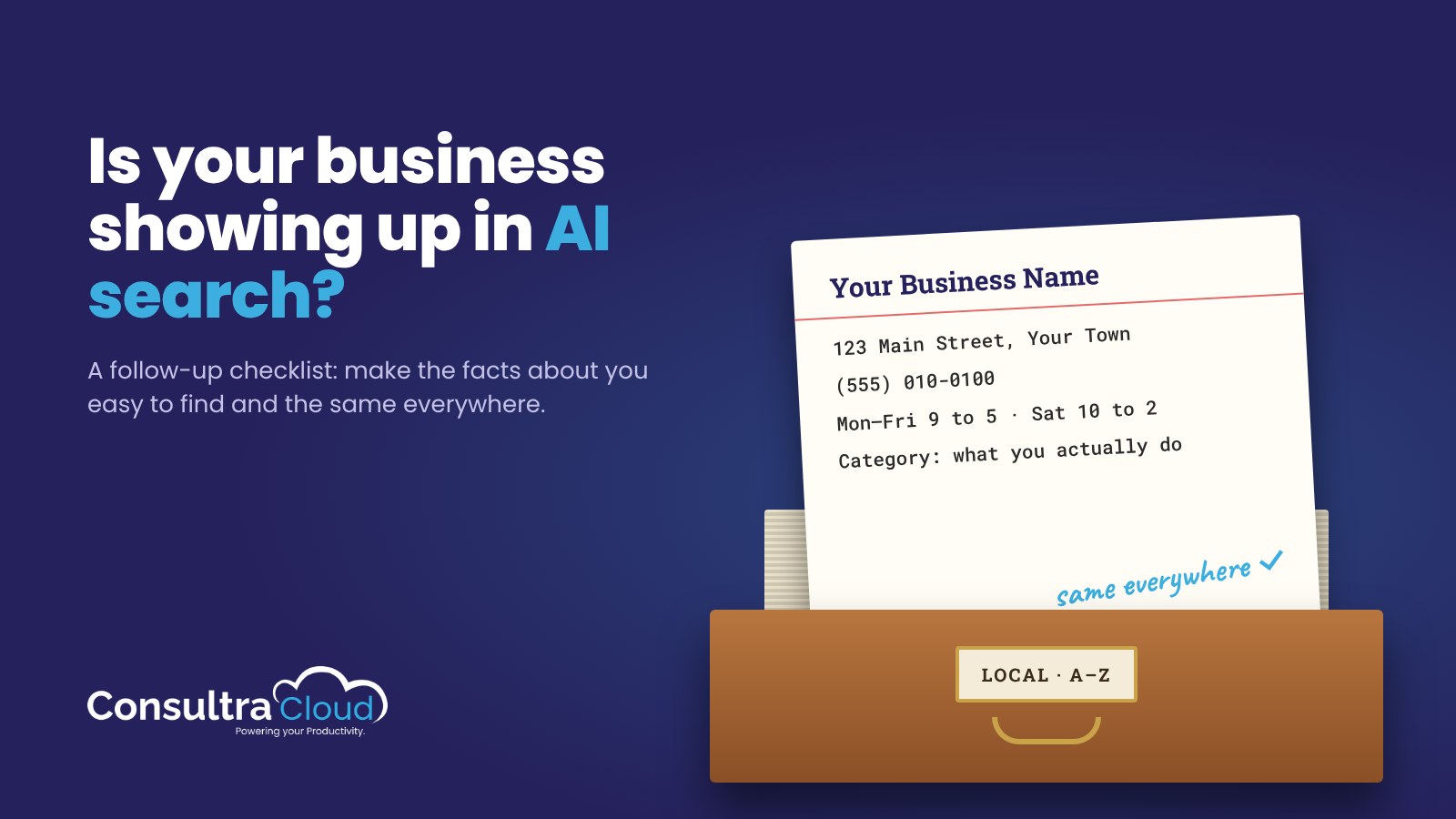
2. Make your name, address and phone identical everywhere
Pick one exact version of your business details and use it on your website, your Business Profile, social profiles, directories and your email signature. “Suite 5” on one site and “#5” on another is minor. A different phone number or an old address is not. Make a short list of every place your business is listed and fix the mismatches.
3. Write an About page that states facts
AI tools summarize what they can read. Give them something concrete: what you do, who you serve, where you operate, when you started, and who runs the business. Write it in sentences a stranger could repeat accurately. “We help small businesses grow” tells a reader nothing. “We repair commercial refrigeration for restaurants in three counties” is quotable.
4. Add FAQ sections that answer real questions
Collect the questions customers ask you by phone and email, then answer each one on the relevant page in two or three plain sentences, answer first. If you also add FAQPage schema markup, the questions and answers in the markup must match the visible text on the page.
One honest caveat: Google retired the FAQ rich result in 2026, so FAQ markup no longer produces those expandable FAQ snippets in Google Search. Google also says no special schema is needed for its AI features. The visible, well-written FAQ is what does the work. Treat the markup as optional tidy structure, not a ranking trick.
5. Consider an llms.txt file
llms.txt is a proposed convention: a short Markdown file at the root of your site that summarizes who you are and links to your most useful pages. Google’s guidance says you don’t need AI text files to appear in its AI features, so don’t expect it to move Google results. It’s cheap to add, though, and some AI tools and agents may read it. Keep it short and accurate, and update it when your services change.
6. Check that AI crawlers aren’t blocked by accident
Security plugins, firewalls and hosting settings sometimes block crawlers without anyone deciding to. Google’s guidance says crawling should be allowed in robots.txt and by any CDN or hosting layer. Other AI tools’ crawlers are allowed or blocked by the same kinds of settings. Look at your robots.txt file, ask your host what they block by default, and make a deliberate choice about which crawlers you allow.
7. Get mentioned on other reputable sites
AI answers often cite sources other than your own website. Being listed or mentioned accurately elsewhere gives them more to work with. Practical places to start:
- Your local chamber of commerce or business association directory
- Industry associations and certification bodies you belong to
- Supplier or partner pages that list approved providers
- Local news, community event pages and podcasts
Earn these honestly. A few accurate mentions on sites people trust are worth more than dozens of low-quality directory listings.
When we checked what AI tools said about our own companies, a lot of it was wrong: an old address, the wrong number of employees, and an overview that didn’t explain what the company actually does. Every item on this list exists because of what we found.
Check AI answers once a month
AI answers change as the tools update and as new content appears. Put a recurring 20-minute appointment on your calendar and keep a simple log. Each month:
- Ask three or four AI assistants the same five customer-style questions, such as “Who does [your service] in [your town]?”
- Note whether you’re mentioned, whether the details are right, and which sources are cited.
- Write down one fix for the month: a wrong phone number on a directory, a missing service on your About page, a question you haven’t answered yet.
- Make that fix before the next check.
Over a few months, the log shows you what’s improving and where wrong information is coming from. It also keeps the work small enough to get done. If you want a simple way to keep your site current, our guide to planning a month of small business marketing shows a simple way to keep that going.
A quick scorecard
| Item | Done? | Next action |
|---|---|---|
| Google Business Profile complete and current | ||
| Name, address, phone identical everywhere | ||
| About page states concrete facts | ||
| FAQ sections on key pages (markup matches text) | ||
| llms.txt published and accurate | ||
| Crawlers allowed on purpose, not blocked by accident | ||
| Mentioned on at least three reputable outside sites | ||
| Monthly AI answer check on the calendar |
Run the site-side checks automatically
Several items on this list live inside your website: FAQ content, FAQPage schema, llms.txt and crawler access. If your site runs on WordPress, MyAuthorityIQ audits every published page for SEO, AEO and GEO, flags issues like blocked AI crawlers or a missing llms.txt, and explains how to fix each one. It works alongside Rank Math and Yoast rather than replacing them.
Frequently asked questions
What is AI search visibility?
AI search visibility is whether AI tools like ChatGPT, Gemini, Perplexity and Google AI Overviews can find accurate information about your business and mention it when customers ask relevant questions.
Do I need special optimization to appear in Google AI Overviews?
Google says no. Its guidance states there are no additional requirements or special optimizations for AI Overviews or AI Mode. A page needs to be indexed and eligible to appear in Search with a snippet, so standard SEO basics apply.
Is FAQ schema still worth adding?
It’s optional. Google retired the FAQ rich result in 2026 and says no special schema is needed for its AI features. Well-written visible FAQs still help readers and AI tools. If you keep the markup, make sure it matches the text on the page.
Does llms.txt help with Google?
Google says you don’t need AI text files to appear in its AI features. llms.txt is a proposed convention that some AI tools and agents may read, so it’s a low-cost extra rather than a requirement.
How often should I check what AI tools say about my business?
Once a month is a practical rhythm for most small businesses. Ask the same handful of questions each time, log the results, and fix one thing before the next check.
This article is general information for small businesses, not legal or professional advice.