QR codes for small business work best when they connect something physical, like a table, a sign, a box or a business card, to something online you can update: a menu, a review page, contact details or an event schedule. The seven uses below are the ones most likely to earn their space, with a quick safety note for anything involving payments.
For each one, the rule is the same: give people a clear reason to scan, send them to a page built for phones, and make sure you can change where the code points without reprinting it. If you haven’t made a code before, start with our guide on how to make a branded QR code.
1. Menus and price lists
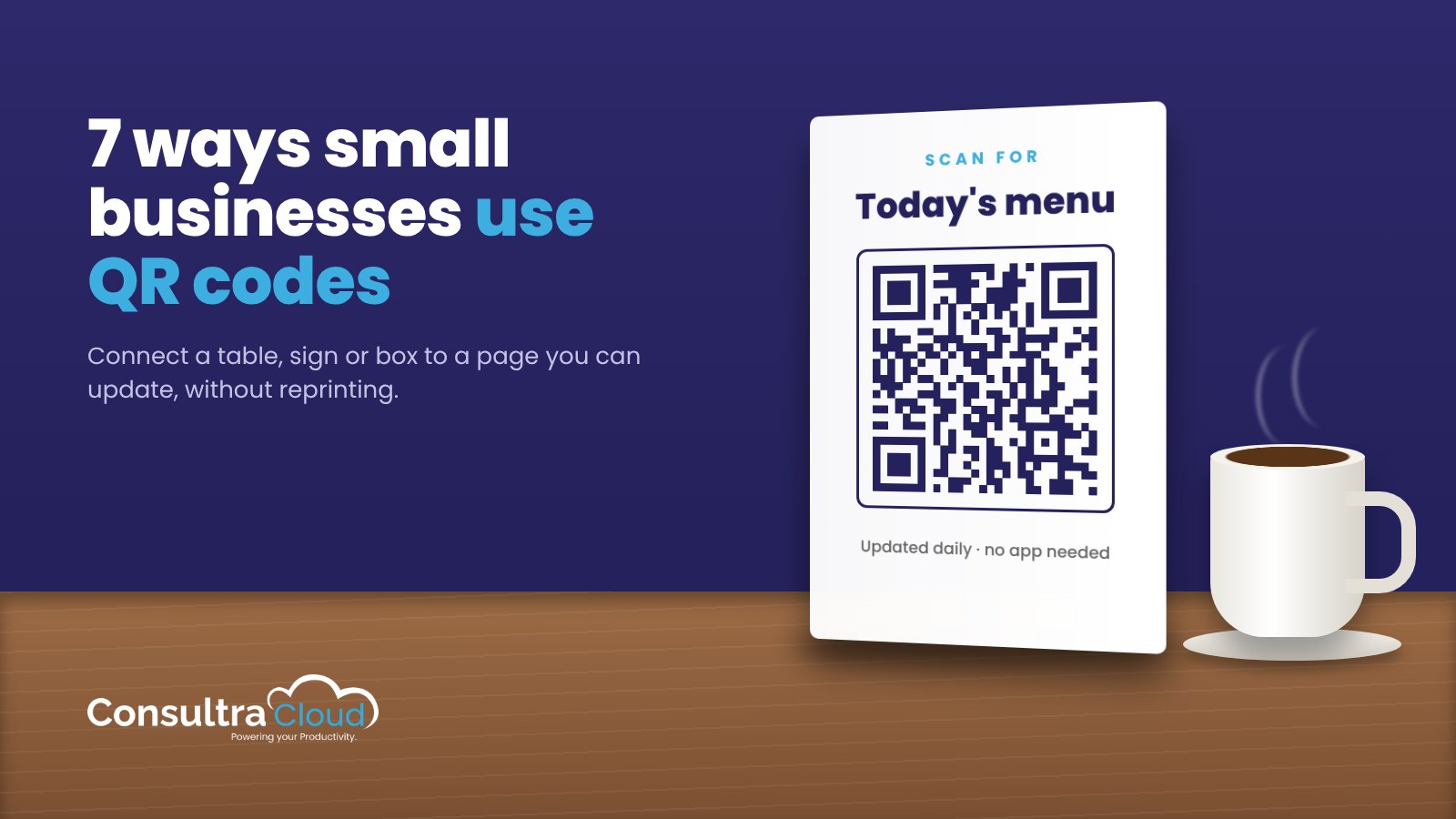
A QR code on the table, counter or window lets customers see today’s menu on their phone. The bigger benefit: you can update prices, specials and allergen notes without reprinting anything. Keep a few printed menus for people who prefer them, and make sure the menu page loads fast and reads well on a small screen.
Tip: Put the code where people wait, not just where they sit: the host stand, the takeout counter, the front window.
2. Asking for reviews
The best time to ask for a review is right after a good experience, and a QR code at the register, on a receipt or on a thank-you card makes it one step. Google’s help article on getting more reviews describes asking customers to scan a QR code or visit a link to leave a review.
Two rules to follow: Google strictly prohibits offering incentives, such as discounts or freebies, in exchange for reviews, and customers need to be signed into a Google account to leave one. Ask for honest reviews and leave it there.
3. Business cards and contact details (vCards)
A QR code that opens a vCard lets someone save your name, number, email and website to their phone in one tap, with no typos. Put it on business cards, trade show badges, the back of a brochure and your email signature. It’s especially useful at events, where nobody wants to type a phone number while holding a coffee.
4. Signs and storefronts
Signs can only say so much. A QR code adds the details that don’t fit:
- A “For sale” sign that opens the property listing with photos
- A storefront window that shows hours, booking or a current offer after closing time
- A job-site sign that links to your services and contact page
- A “Now hiring” poster that opens the application
Print the code big enough to scan from where people will actually stand, and add a short line of text saying what they’ll get: “Scan for photos and price.”
5. Packaging and product inserts
Packaging is a direct line to the person using your product. A QR code on a box, label or insert can open setup instructions, a how-to video, care tips, warranty registration or a reorder page. Because the page can be updated, you can fix instructions or add a new video long after the boxes are printed.
6. Events and workshops
Events are where QR codes save the most fumbling. Use them for:
- Check-in or sign-up at the door
- The schedule or agenda, so last-minute changes reach everyone
- Speaker or exhibitor contact details
- A short feedback form at the end, while the event is fresh
For a recurring event, one code on a reusable banner can point to whichever event is next. Our guide to planning a month of small business marketing shows how to batch a month of posts in one afternoon, so your event promotion is written well before the event.
We’ve used QR codes for event and networking registration, marketing promotions, form fills and downloads. For clients, we design a free “Connect with us on social media” sign with a QR code that takes visitors straight to their social pages.
7. Payments, with a safety note
Some businesses display a QR code so customers can pay or tip from their phone. If you do, use the code generated by your payment provider, and treat it like cash: it’s the code criminals have the most reason to tamper with.
In a January 2022 alert, the FBI warned about criminals tampering with QR codes to steal funds, including by placing stickers over legitimate codes. To protect your customers:
- Display payment codes where staff can see them, not on unattended surfaces.
- Check printed codes regularly for stickers or tampering.
- Show your business name and payment link in text next to the code so customers can confirm it.
- Don’t send payment QR codes by email or text. Customers are told not to scan codes in messages they weren’t expecting.
A quick word on QR phishing (“quishing”)
Because QR codes hide the web address until you scan, scammers use them to send people to fake login and payment pages. The FTC’s consumer alert, Scammers hide harmful links in QR codes, advises people to inspect the URL before opening it and not to scan codes in emails or texts they weren’t expecting.
That shapes how a legitimate business should use them. Point codes at your own, recognizable domain. Put a short line of text by the code saying where it goes. And don’t put QR codes in emails asking customers to log in or pay; it trains them into exactly the habit scammers exploit.
Branded, trackable QR codes for small business
If you want codes that match your brand and tell you which placements earn their space, MyQRCodeDesign lets you design QR codes with custom shapes, colors and your logo. Point them at a page or menu you build in the app and update it anytime without reprinting. You can also create vCard codes. Scan tracking shows how many scans each code gets, when they happen, the city they come from and the device type.
Frequently asked questions
What are the best uses of QR codes for small business?
The most useful are menus and price lists, review requests, vCards on business cards, signs and storefronts, packaging and inserts, events, and payments with proper safeguards.
Can I change where a QR code goes after printing it?
Yes, if the code points to a page you control and can edit, such as a landing page or menu hosted by your QR code tool. A code that encodes a fixed web address directly can’t be changed after printing.
Can I offer a discount for a Google review?
No. Google’s review guidance strictly prohibits offering incentives such as discounts or free goods in exchange for reviews. Ask for honest reviews instead.
What is quishing?
Quishing is phishing through QR codes. Scammers use a code to send people to a fake website that steals login or payment details. Check the web address after scanning and be wary of codes in unexpected emails or texts.
What should I ask a QR code provider before printing in bulk?
Ask whether you can edit the destination later, what scan data you’ll see, and whether you can use your own domain.
This article is general information for small businesses, not legal or professional advice.