Every growing business hits the same decision when it comes to software for small businesses. Do you buy one big platform that promises to do everything, or a handful of focused tools that each do one job well?
All-in-one suites are easy to sell: one login, one bill, one vendor. But for many small businesses, the reality is a long onboarding, a pile of features nobody uses and a price that assumes you’re a much bigger company.
What’s wrong with all-in-one software for small businesses?
Nothing, if you use most of it. The problem is that most small businesses don’t. Common complaints:
- Paying for features you’ll never touch. The bundle price includes modules built for enterprises.
- A steep learning curve. When a tool does everything, even simple tasks take more clicks.
- Lock-in. When one platform runs your whole business, switching away becomes a major project.
- Mediocre at the job you actually need. The one feature you bought it for is often weaker than a tool built just for that.
What are the benefits of focused tools?
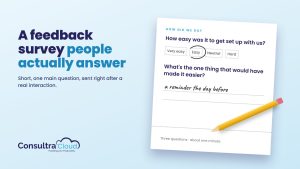
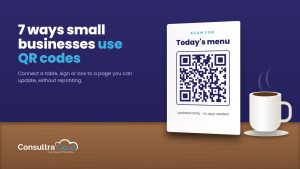
A focused tool is built around one job: sharing client documents, collecting feedback, designing QR codes, planning marketing. That focus brings real advantages:
- Faster to set up and learn. You’re productive in minutes, not weeks.
- Better at the job. All the product effort goes into one problem.
- Pay for what you use. Add a tool when you need it, not before.
- Easy to swap. If your needs change, you replace one tool, not your whole operation.
How do you choose the right software for your business?
Start with the job, not the feature list. Ask:
- What’s the specific problem? “We waste hours chasing client documents” is a better starting point than “we need a platform.”
- Who will use it every day? Pick what they’ll actually adopt.
- What does it cost at your size? Look at the price for your number of users, clients or products, not the headline price.
- How hard is it to leave? Make sure you can export your data.
- Can you try it first? A free trial on real work beats any demo.
When does an all-in-one platform make sense?
If you’re a larger team with dedicated admins, need deep integration between many functions and will use most of the suite, an all-in-one platform can be the right call. The key is buying for the business you are, not the one in the sales deck.
What does a focused stack look like in practice?
Take a ten-person accounting firm. Its real day-to-day jobs are collecting client documents, staying visible to prospects and keeping track of staff certifications. A focused stack might be:
- A secure document tool for client intake, file sharing and signatures.
- A marketing tool to keep the blog and social channels active during the busy season.
- A certification tracker so nobody’s credentials lapse during tax season.
Each tool is set up in an afternoon, each one is owned by the person who uses it most, and if one stops fitting, the firm swaps that one tool without disrupting the rest.
Frequently asked questions
Won’t lots of separate tools get messy?
Not if each one owns a clear job. Three tools that each do one thing well are easier to manage than one tool you only half understand.
Are focused tools more expensive in total?
Often the opposite, because you only pay for the jobs you actually need done. Compare total cost at your real size.
How do I avoid tool overload?
Add a tool only when there’s a clear, recurring problem it solves, and review your stack once a year.
Purpose-built tools for real business jobs
ConsultraCloud builds focused cloud apps for small businesses: MyDocUploads for secure document sharing, MyMarketingCompanion for AI marketing, MyAppFeedback for product feedback, MyQRCodeDesign for branded QR codes, MyCertRenewal for certification renewals and MyAuthorityIQ for AI search visibility. Each one does a single job well, so you can start with the one you need today.