QR codes are everywhere again: on menus, flyers, packaging, yard signs and business cards. But most of them are the same black-and-white square that looks like it was printed in 2011, and most businesses have no idea whether anyone scans them.
A branded QR code fixes both problems. It looks like it belongs to you, it sends people somewhere useful, and it tells you what’s working.
What is a branded QR code?
A branded QR code is a scannable code designed with your colors, shapes and logo, usually pointing to a page you control. It still scans like any other QR code. The difference is that customers recognize it as yours, and you can change where it goes without reprinting it.
Why do plain QR codes underperform?
A generic code gives people no reason to trust it or scan it. It doesn’t say who it’s from or what’s behind it. And if it points straight to a URL you can’t change, a typo or an expired promotion means reprinting every sign, menu and box.
Plain codes also leave you blind. You printed 500 flyers. Did 3 people scan them, or 300? Without tracking, you can’t tell which placement is worth paying for again.
How do you make a branded QR code, step by step?
- Decide the job. What should someone do after they scan? Read a menu, save your contact details, see a property, claim a promo? One code, one job.
- Build the destination first. Create the landing page, digital menu or vCard the code will open. Keep it short and mobile-first, because everyone who scans is on a phone.
- Design the code. Apply your brand colors, choose a custom shape and add your logo in the center. Keep strong contrast between the code and its background so it still scans in poor light.
- Use a dynamic code. Make sure you can change the destination later without changing the printed code.
- Test before you print. Scan it with a few different phones, from a realistic distance, at the size you’ll actually print.
- Track and adjust. Watch scans by date, location and device, then move or redesign codes that aren’t pulling their weight.
Where do branded QR codes work best?
- Restaurants and cafés: a digital menu you can update in seconds, with no reprints when prices or specials change.
- Events and conferences: vCards, schedules and check-in pages behind one scannable code.
- Retail and packaging: send shoppers to promotions and product pages, and see which packaging drives scans.
- Real estate and signage: turn a yard sign or flyer into a branded property landing page.
What should you track after printing?
At a minimum, track how many people scan, when, where and on what device. That’s enough to answer the questions that matter: which location works, which design works, and whether that trade-show booth was worth it.
What are the most common QR code mistakes?
- Printing too small. A code on a business card can be small; a code on a poster across the room needs to be much larger. Test at real distance.
- Low contrast. Light gray on white, or a code over a busy photo, fails in dim light. Keep the code dark on a light background.
- No reason to scan. “Scan me” isn’t a reason. “Scan for today’s specials” or “Scan to see inside this home” is.
- Sending people to a desktop website. Everyone scanning is on a phone. If the page isn’t built for mobile, they leave.
- Static codes on long-lived print. If the link ever changes, a static code is dead. Use a dynamic code for anything you’ll print in volume.
- Never checking the numbers. If you don’t look at scan data, you’ll keep paying for placements that don’t work.
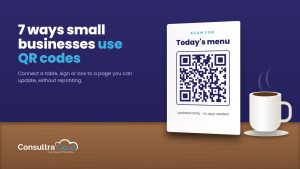
Once your code is ready, here are 7 ways small businesses actually use QR codes, from menus and review requests to packaging and events.
Frequently asked questions
Will a designed QR code still scan reliably?
Yes, as long as you keep strong contrast and don’t cover too much of the code with a logo. Always test at your final print size.
Can I change where the code points after it’s printed?
With a dynamic code, yes. You update the destination in the app and the printed code keeps working.
Do I need a website to use a QR code?
No. You can point the code at a landing page, digital menu or vCard built inside the QR tool itself.
Make your next code unmistakably yours
MyQRCodeDesign lets you design branded QR codes with custom shapes, colors and logos, build the landing pages, menus and vCards behind them, and track every scan. Start with a free trial, no credit card required.